
Playing a Match
Hit Play and you're in a match a couple of minutes later. No schedule, no waiting for a fixture.
The short version
- Arena finds you an opponent close to your level: another manager's club, with their squad and tactics.
- You get 2 minutes to set up. At 0:00, the match kicks off with whatever is on your board.
- The match plays live. You coach in real time: substitutions, formation, instructions.
- Win to earn Arena Points. When the match is over, play the next one.
Who You Play
When you hit Play, Arena picks one of the clubs closest to your level. Your opponent is a real manager's club: their players, their formation, their tactics. They don't coach the match live: the match engine plays their saved setup. You're the one on the touchline.
Arena avoids serving you the same opponents over and over, and in the first divisions it keeps you away from clubs much stronger than yours.
Your club plays away games too. Other managers face your club the same way, with your saved squad and tactics. Those matches don't change your Arena Points.
Set Up Your Team
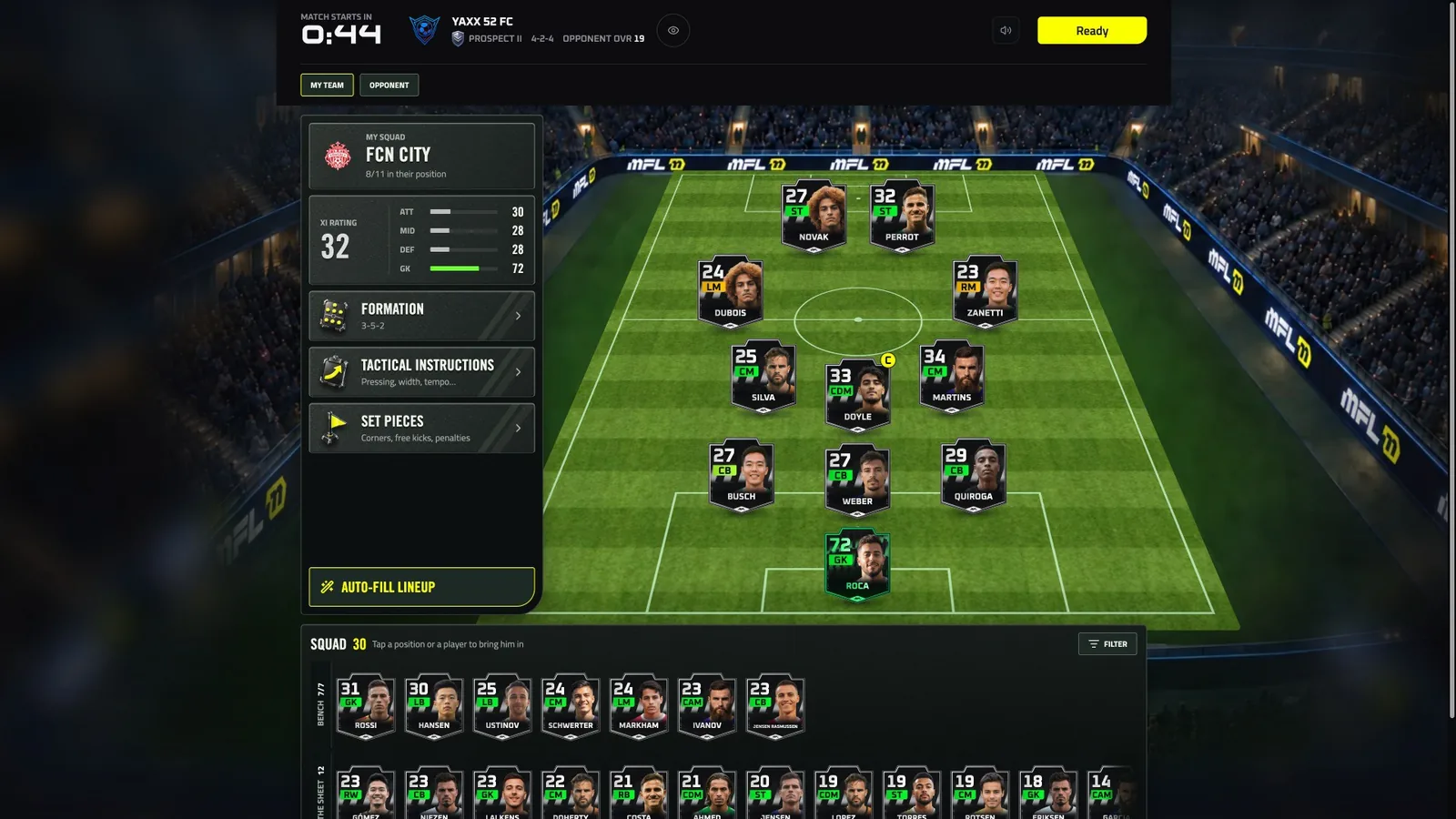
2 minutes to read your opponent and set your team
Once your opponent is locked, you get 2 minutes before kick-off. Use them:
- Scout your opponent. Open their card to see their formation and XI.
- Pick your shape. Choose the formation that beats theirs.
- Set your instructions: team and player instructions, set-piece takers.
- Hit Ready, or let the clock run out.
At 0:00 the match starts with whatever is on your board. You can't skip an opponent: once they're drawn, the match is played. If you leave before kick-off, it starts on your saved squad.
Changes made in these 2 minutes are for this match only. The squad and tactics you save on the squad screen are the ones other managers face, and the ones used if you're not there at kick-off.
Formations and instructions work as in Pro Manager: see Tactics for the detail.
The Live Match
The match plays in real time, with a half-time break. If you fall behind the live action, Back to live catches you up.
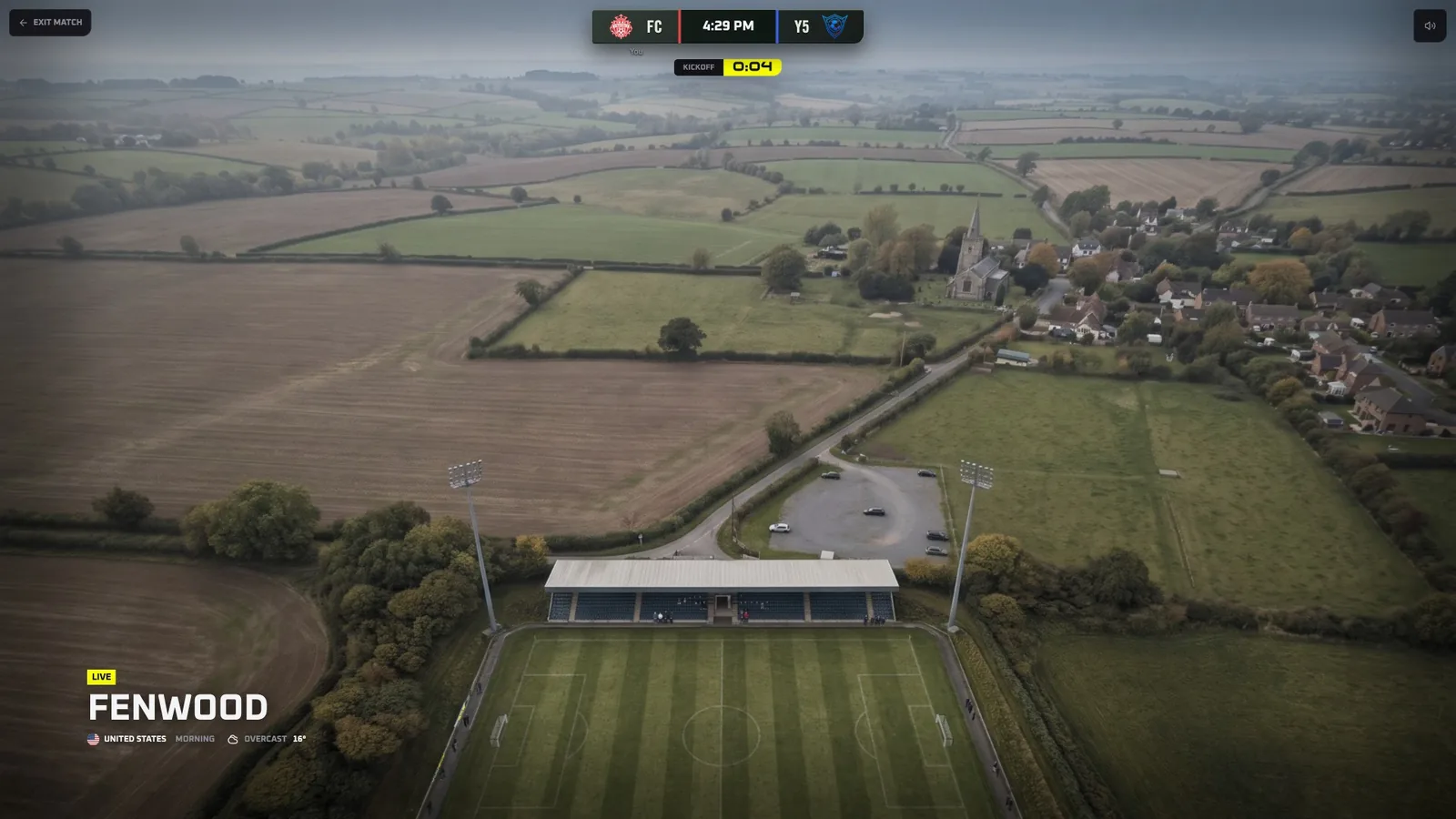
Kick-off at your home ground
Coach from the touchline
During the match you can:
- Make substitutions
- Change your formation
- Change team and player instructions
Your changes queue up until you hit Apply. Need more time? Pause the match: you have a limited bank of pause time per match, and the screen shows how much is left.
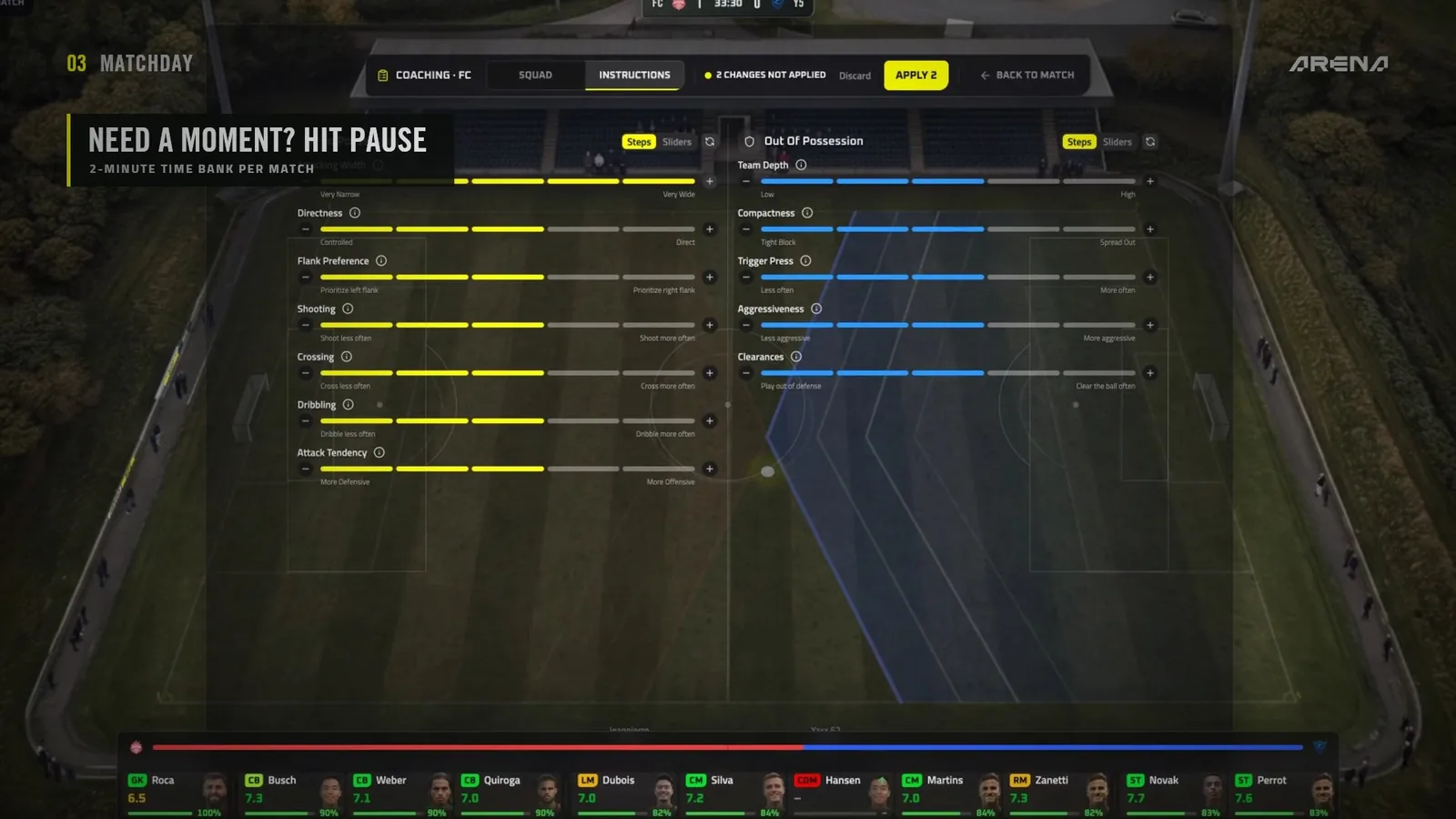
Pause to rethink your plan
Leaving and forfeiting
- Leave the page and the match keeps going. Come back with Resume match.
- Forfeit ends the match right away as a 0-3 loss. You lose Arena Points, your players earn no XP, and the match doesn't count toward your challenges, quests or your weekly 10 matches.
After the Match
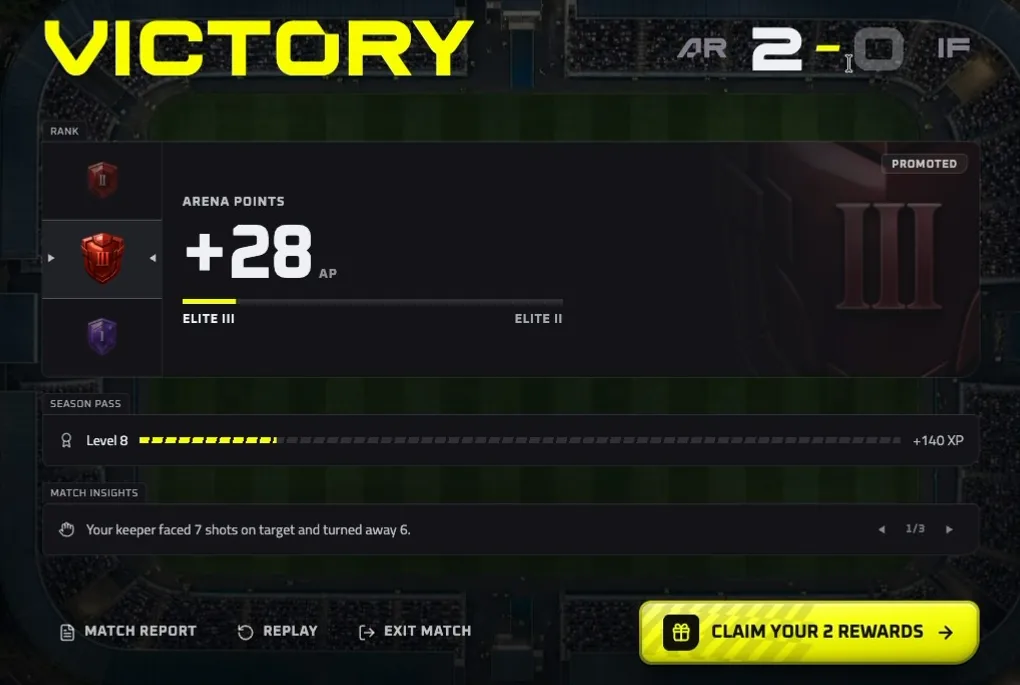
Full time: Arena Points, Season Pass XP and your rewards
The full-time screen shows:
- Your Arena Points change, and a promotion if you went up. See The Ladder.
- Your Season Pass XP. See Rewards.
- Match insights, the full match report with ratings, and the replay.
- Any rewards to claim.
Then play again. You play one match at a time: your next opponent is drawn once your last match is over.
Stadium View
Matches play in a 3D stadium by default. Prefer the classic view from above? Switch to it any time. On a keyboard, C switches the view and F follows the ball.
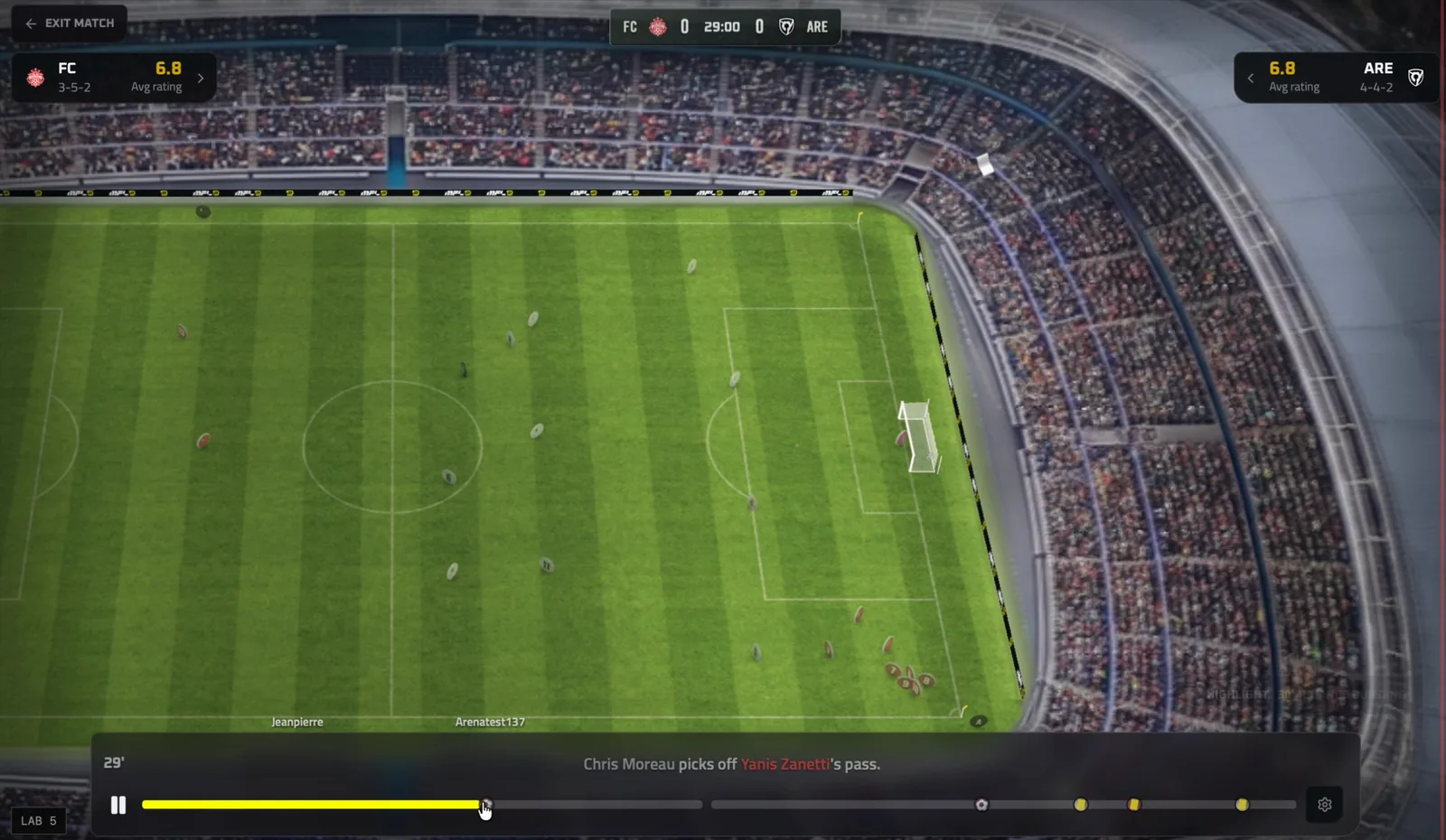
The 3D stadium view
On a phone, the stadium view needs landscape: turn your phone sideways. On devices that can't run it smoothly, Arena switches to the view from above.
Your home ground
Your stadium grows with you: from Parkside in Amateur all the way to Empire in Legend.
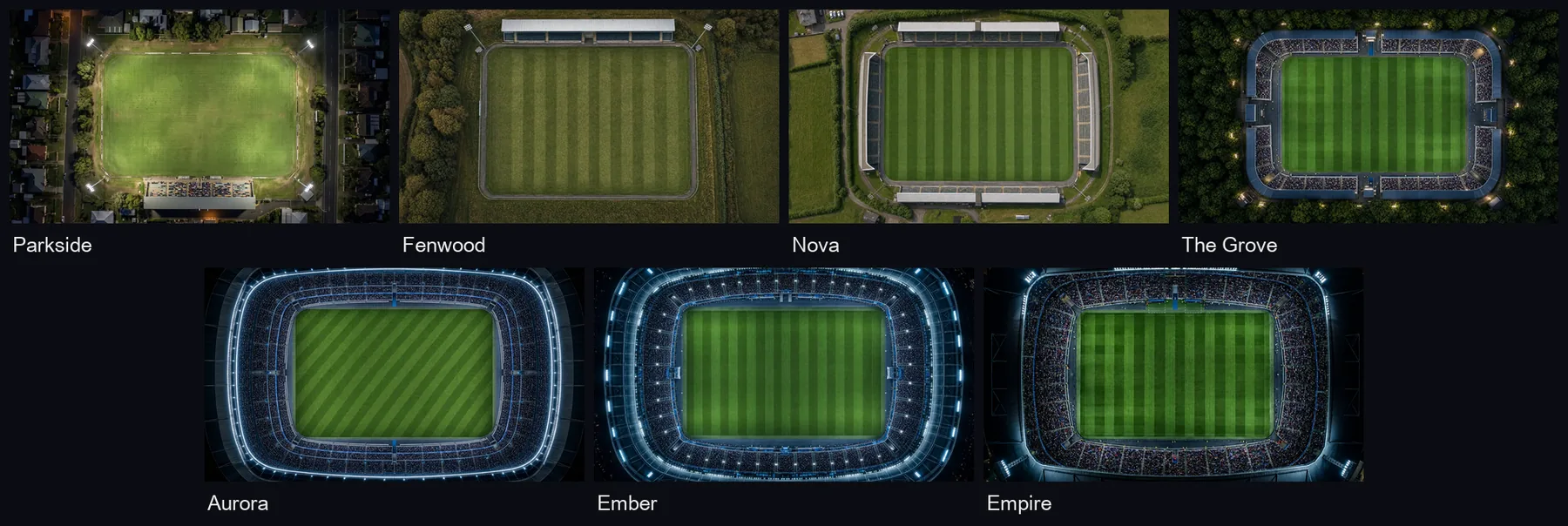
From Parkside to Empire
You can also win new stadiums, pitches and much more through the Season Pass. See Rewards.